Editor & Tool Configuration
Cherry Studio Configuration Guide
Illustrated guide to connecting Cherry Studio to AnyRouter: set the API base URL and key, add and select models, then chat with Claude, GPT and more.
Client download: https://www.cherry-ai.com/
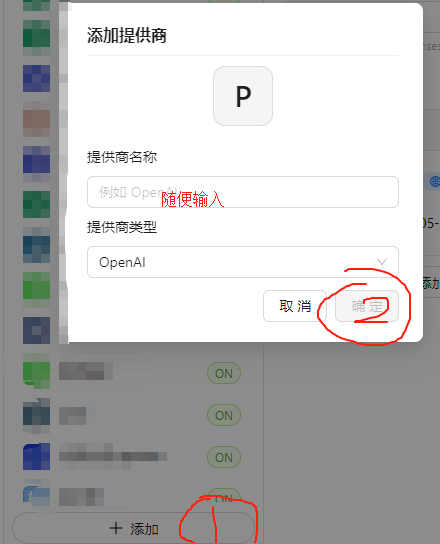
Configure the API endpoint and key
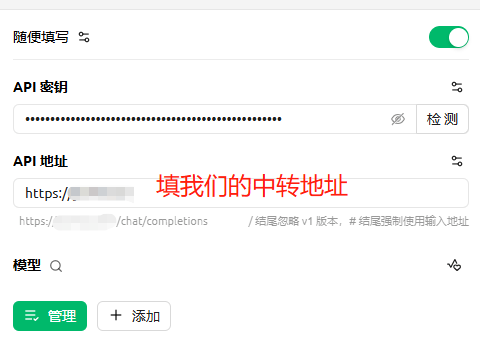
For the API endpoint, enter: https://anyrouter.win
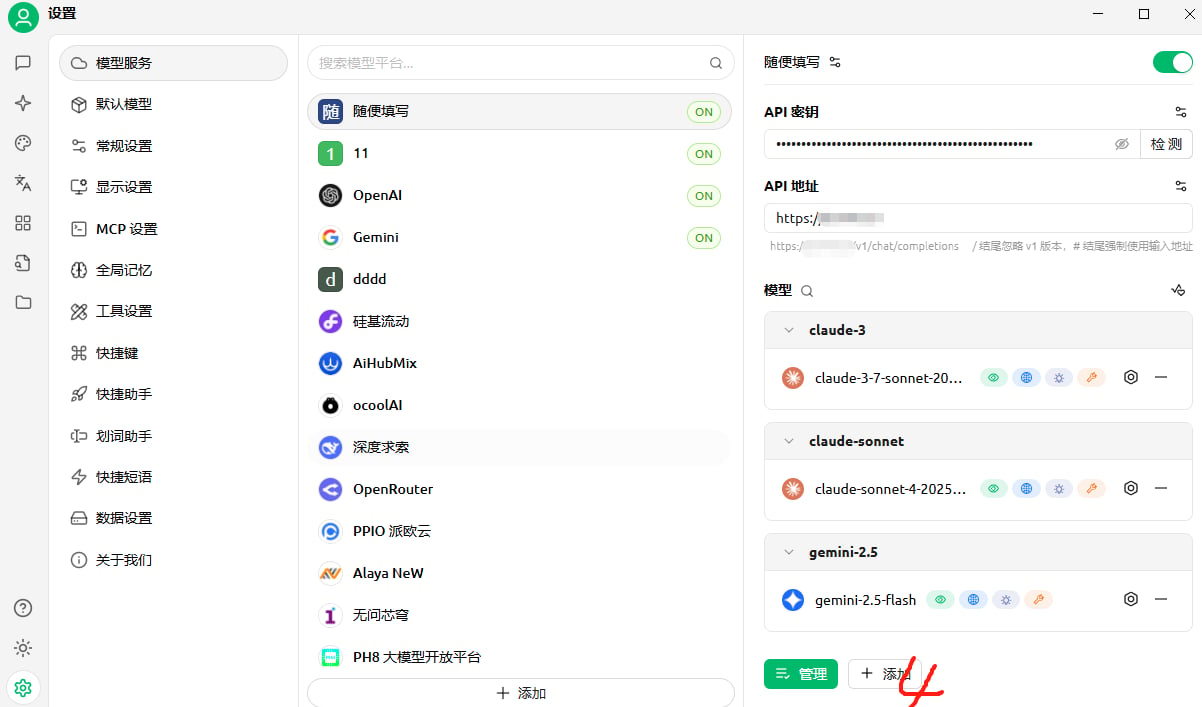
Add models
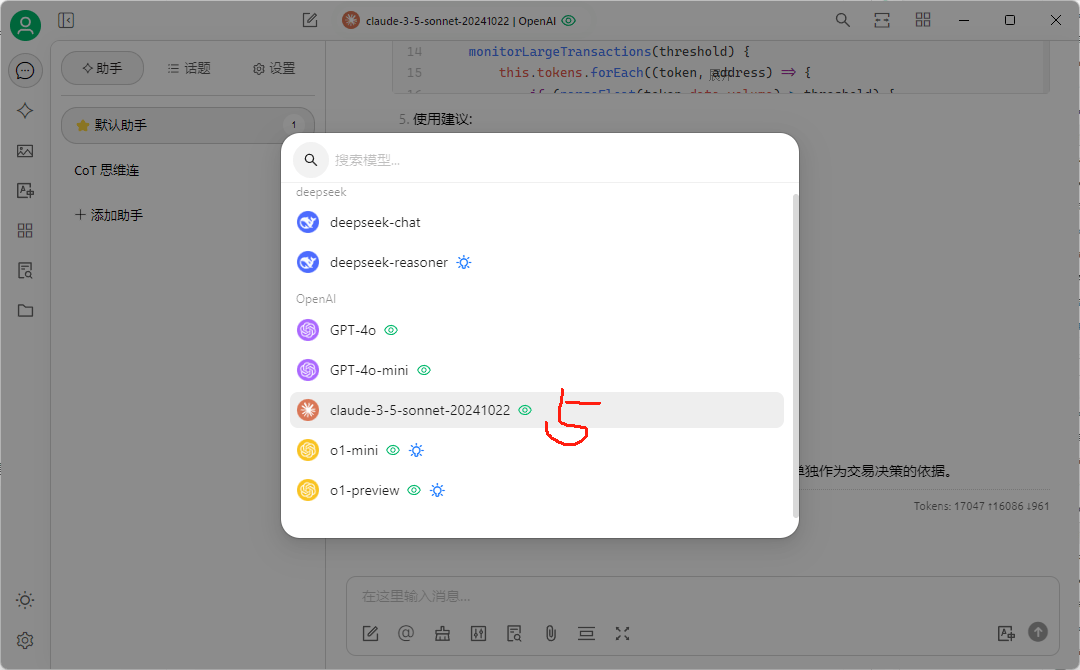
Select a model to use
anyrouter Terms of Service
anyrouter Terms of Service: API relay scope for enterprise customers, account and API key rules, model compliance, fees, refunds, and limits of liability.
Using Claude MCP with CherryStudio
Full walkthrough of using Claude MCP in CherryStudio: install the app, set the AnyRouter base URL and API key, configure models, enable MCP and send a request.