Editor & Tool Configuration
ClawX
Quick ClawX setup with AnyRouter: add a custom model provider, enter your API key and base URL, and start using the platform's models in just four steps.
-
Open the clawx app, click Models > click Add Provider
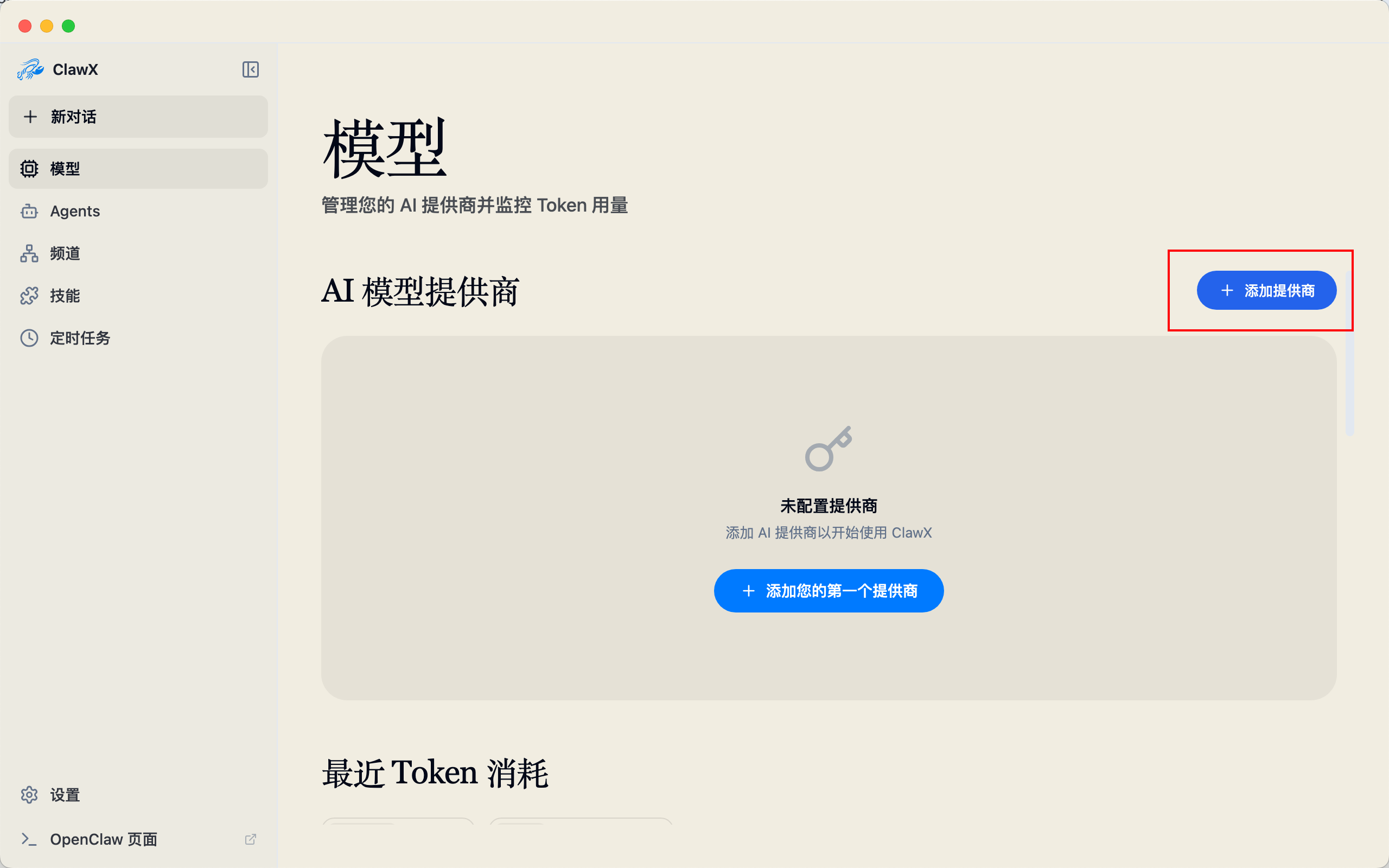
-
Select Custom
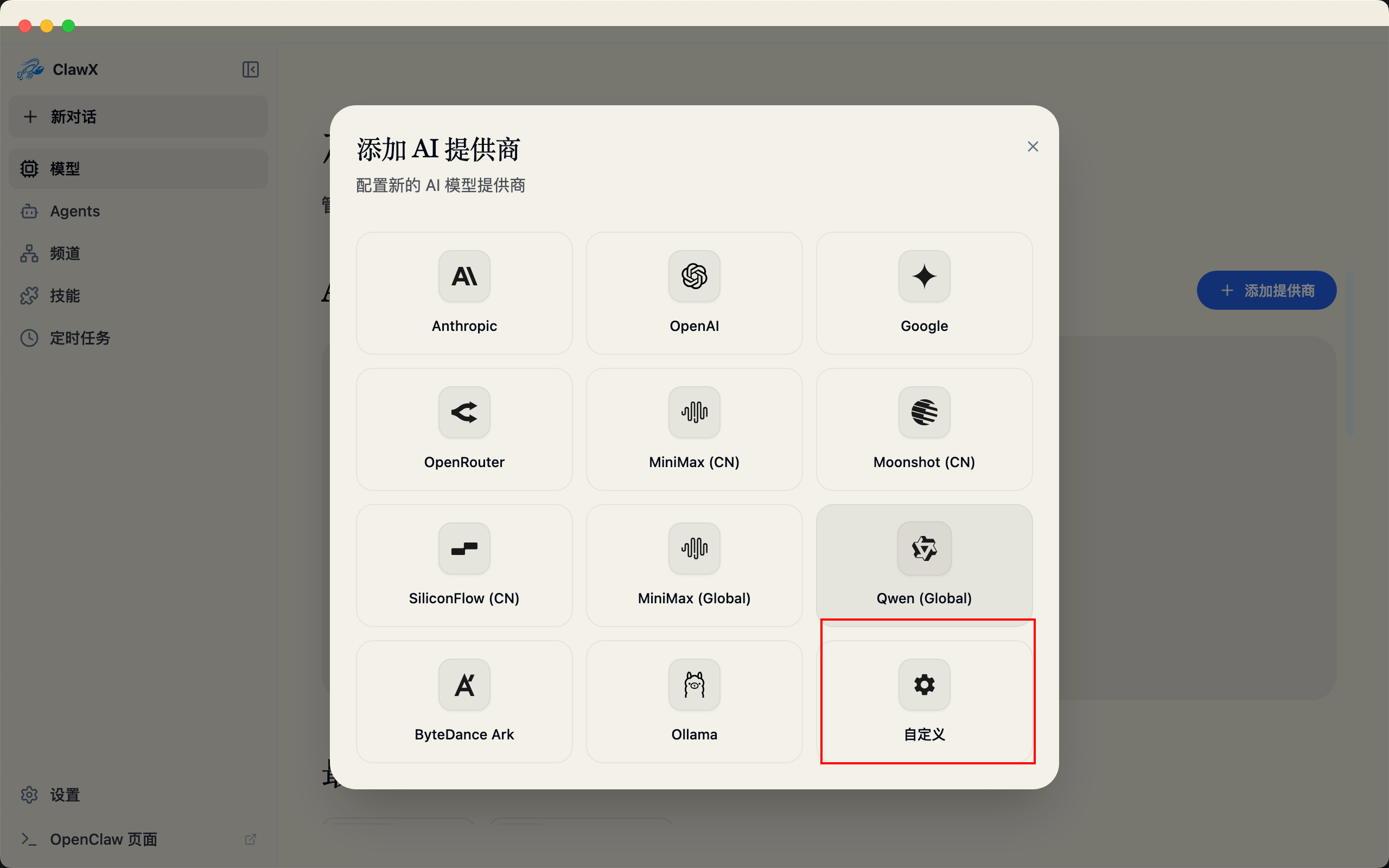
-
Fill in the api key and base url
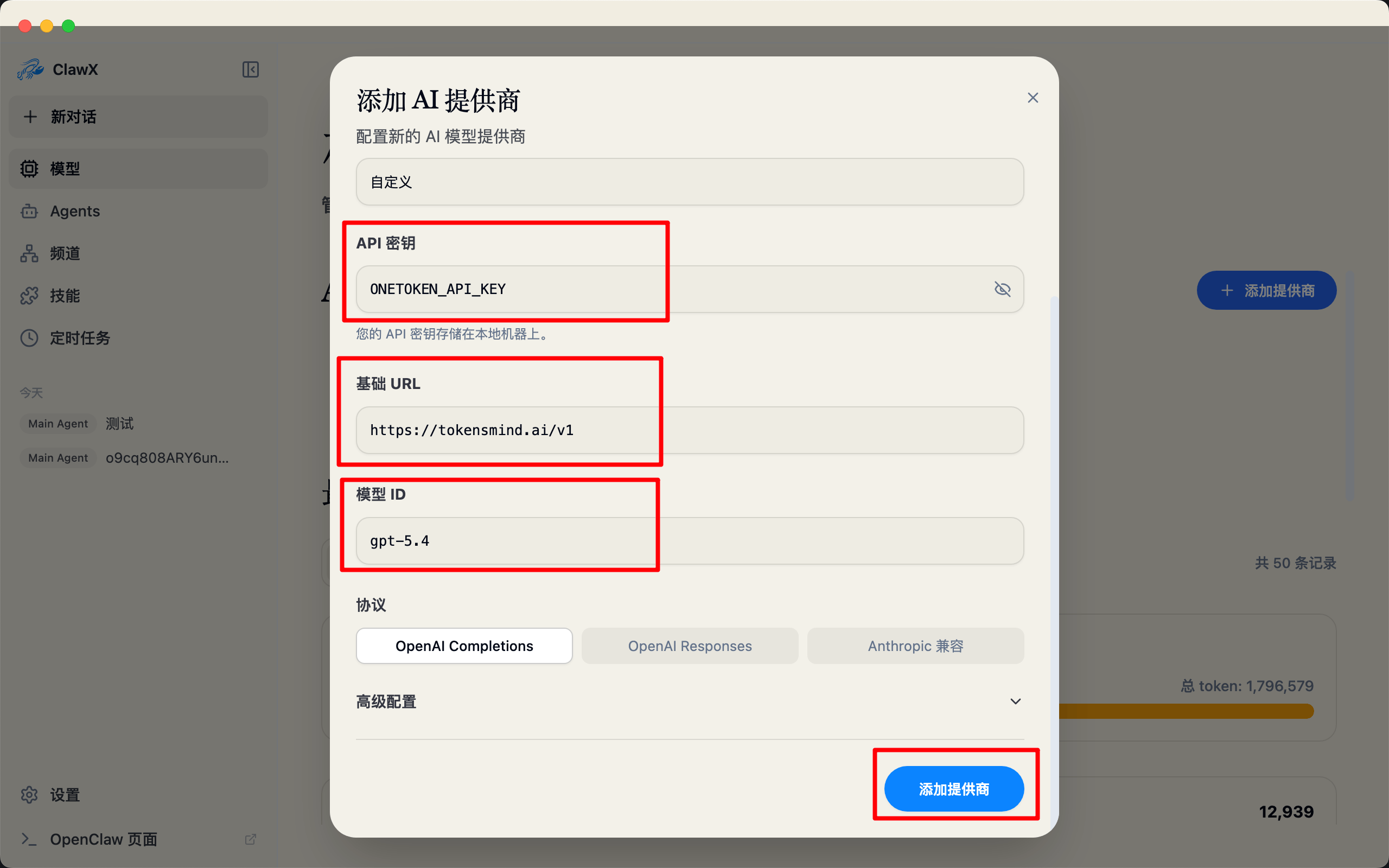
-
Click Add, and you are ready to go
Claude Code
Set up Claude Code with AnyRouter: install the CLI, configure BASE_URL and AUTH_TOKEN, use cc-switch or the VS Code extension, and switch to DeepSeek models.
cline Configuration Guide
Configure the cline AI coding assistant to work with AnyRouter: set the API endpoint to anyrouter.win and add your API key to use any supported model.