Editor & Tool Configuration
Adding Models in Dify
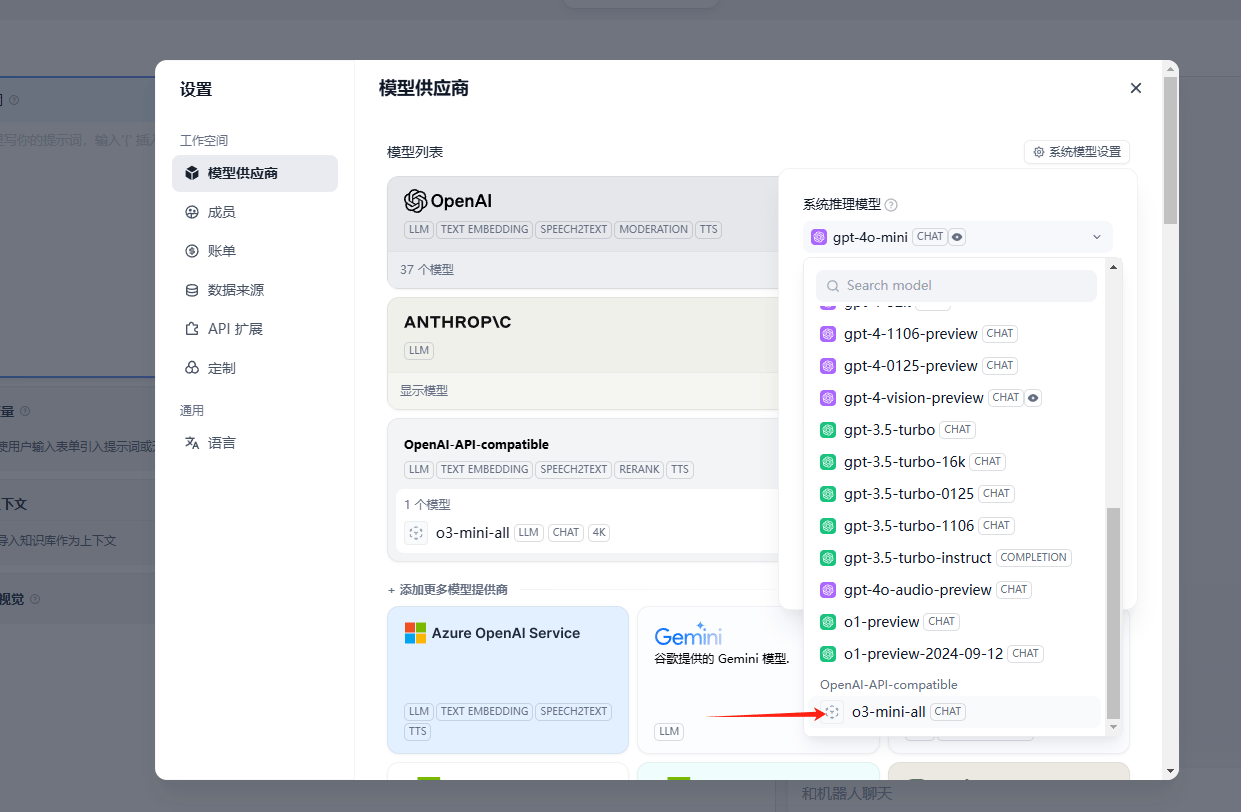
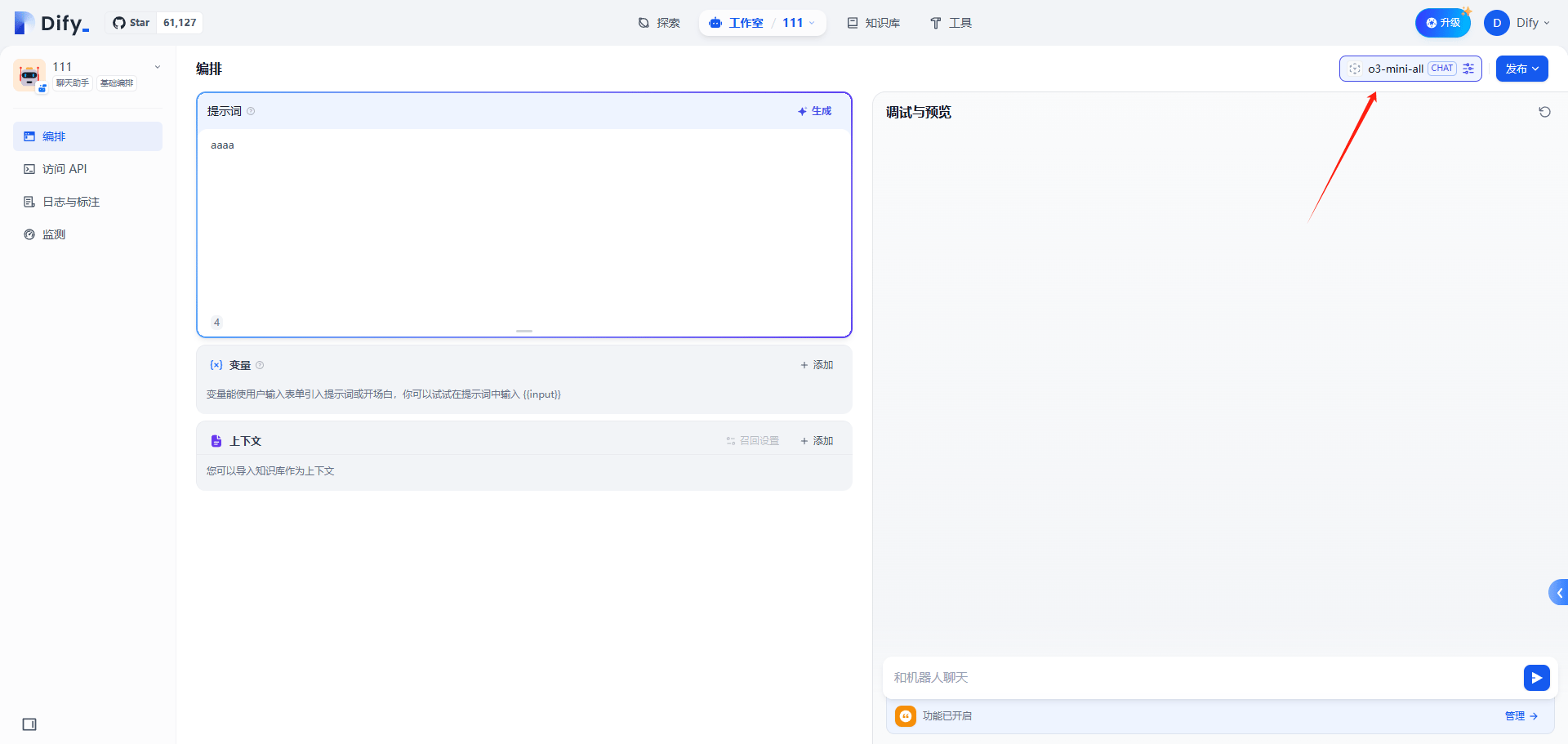
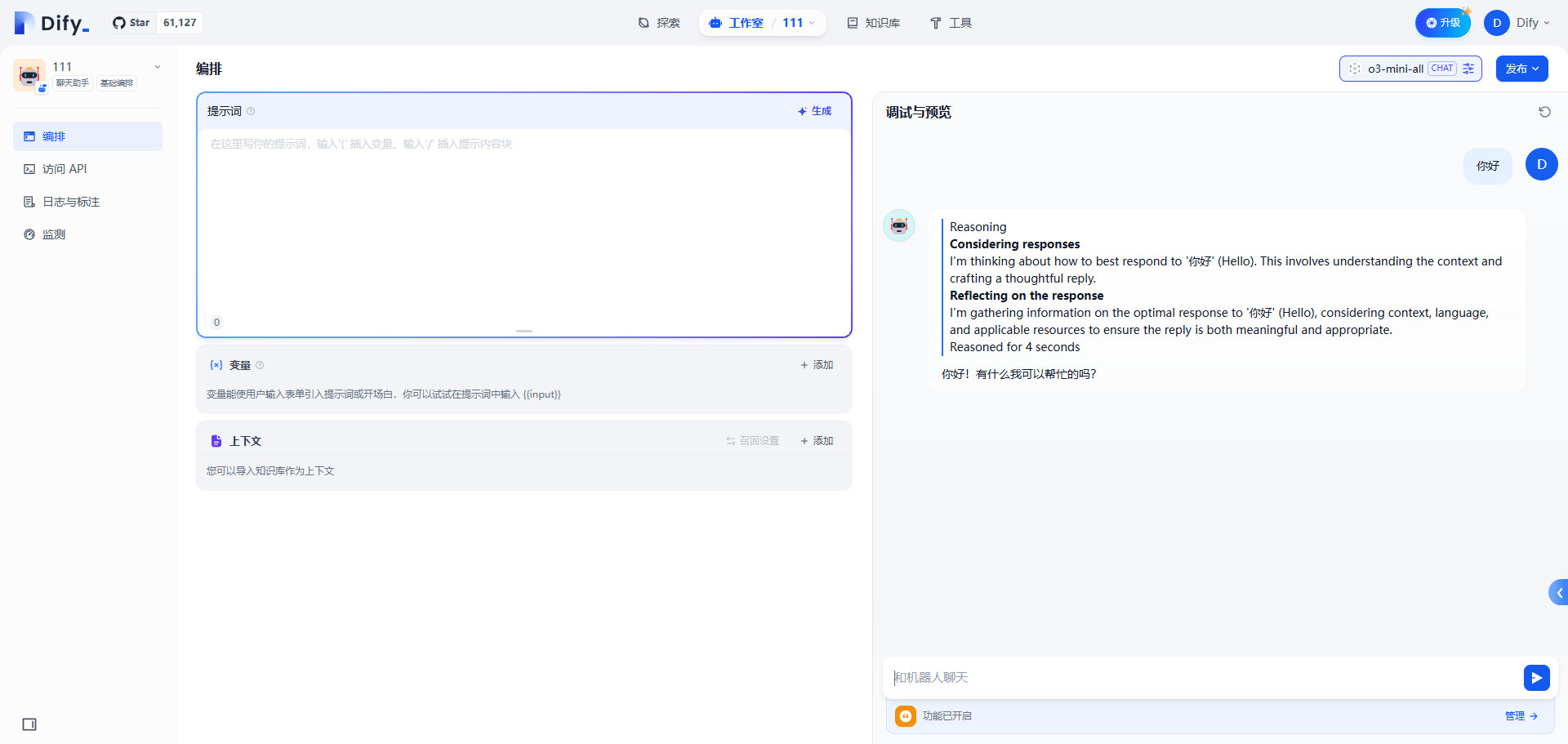
Add AnyRouter as a model provider in Dify: follow the screenshots, set the API endpoint to anyrouter.win, and enter your API key to call any model.
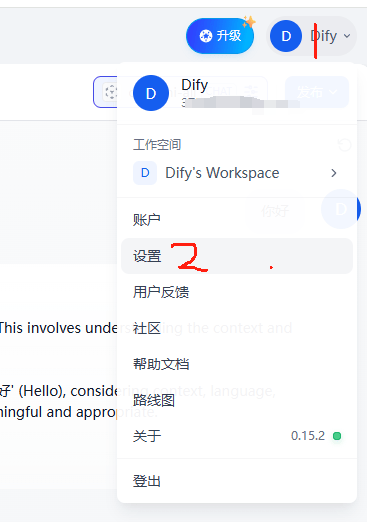
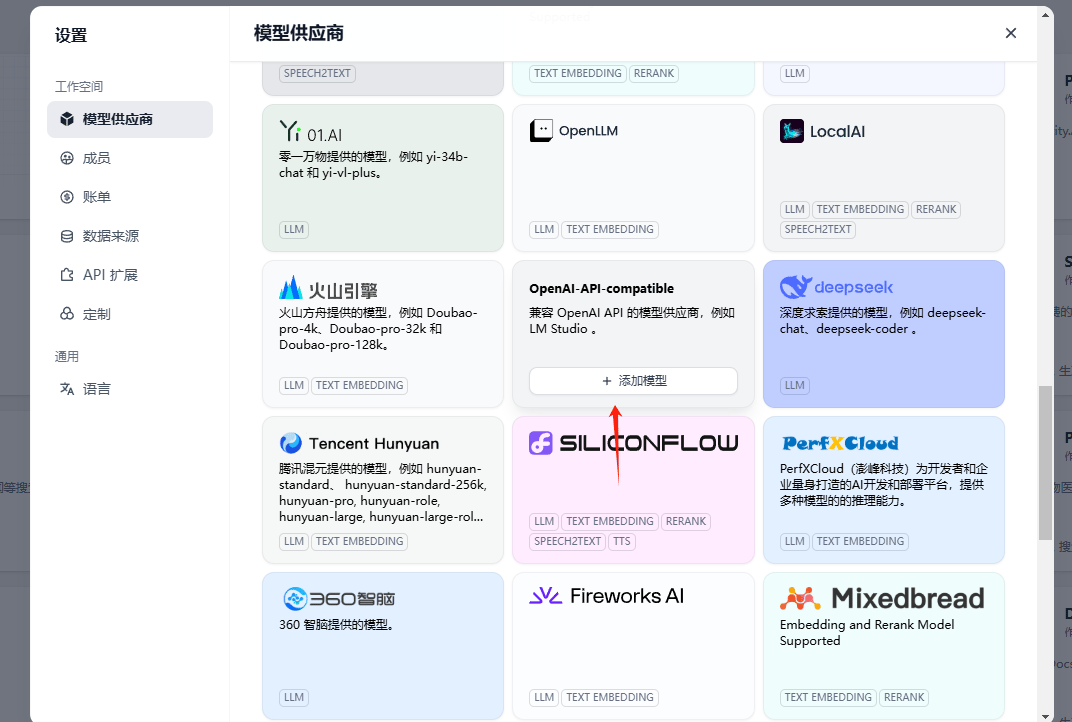
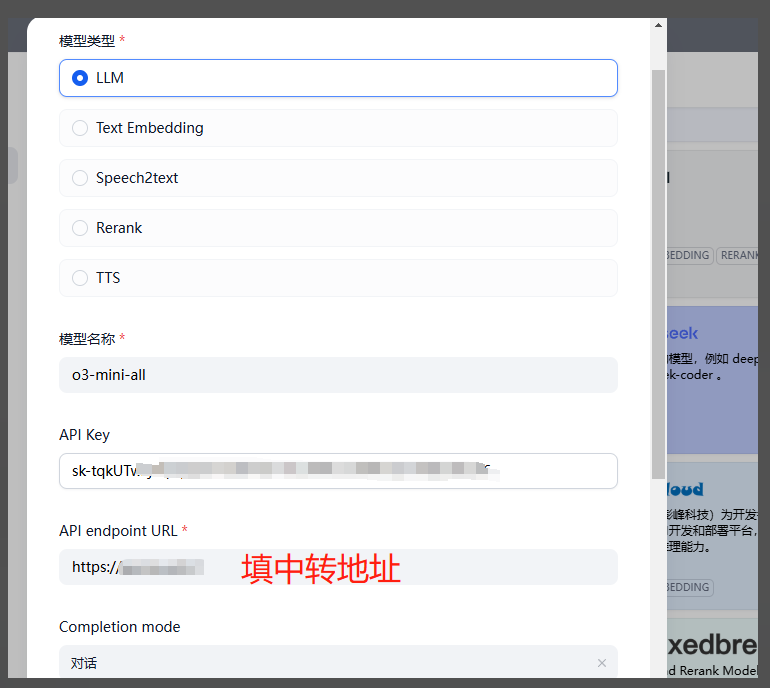
For the API endpoint, enter https://anyrouter.win
Cursor
Use your own API key in Cursor via AnyRouter: enable API mode, set the base URL, add custom models, and fix common errors like Verify Failed.
Hermes
Set up Hermes Agent, the open-source self-learning AI agent, with AnyRouter: install it and configure a custom endpoint, base_url and API key via hermes model.