Editor & Tool Configuration
Claude Desktop
Connect Claude Desktop to the AnyRouter gateway: enable Developer Mode, set the gateway URL and API key, then pick a model and chat without an Anthropic login.
Stay logged out (or sign out of your account first)
- Click the menu → Help → Troubleshooting → Enable Developer Mode
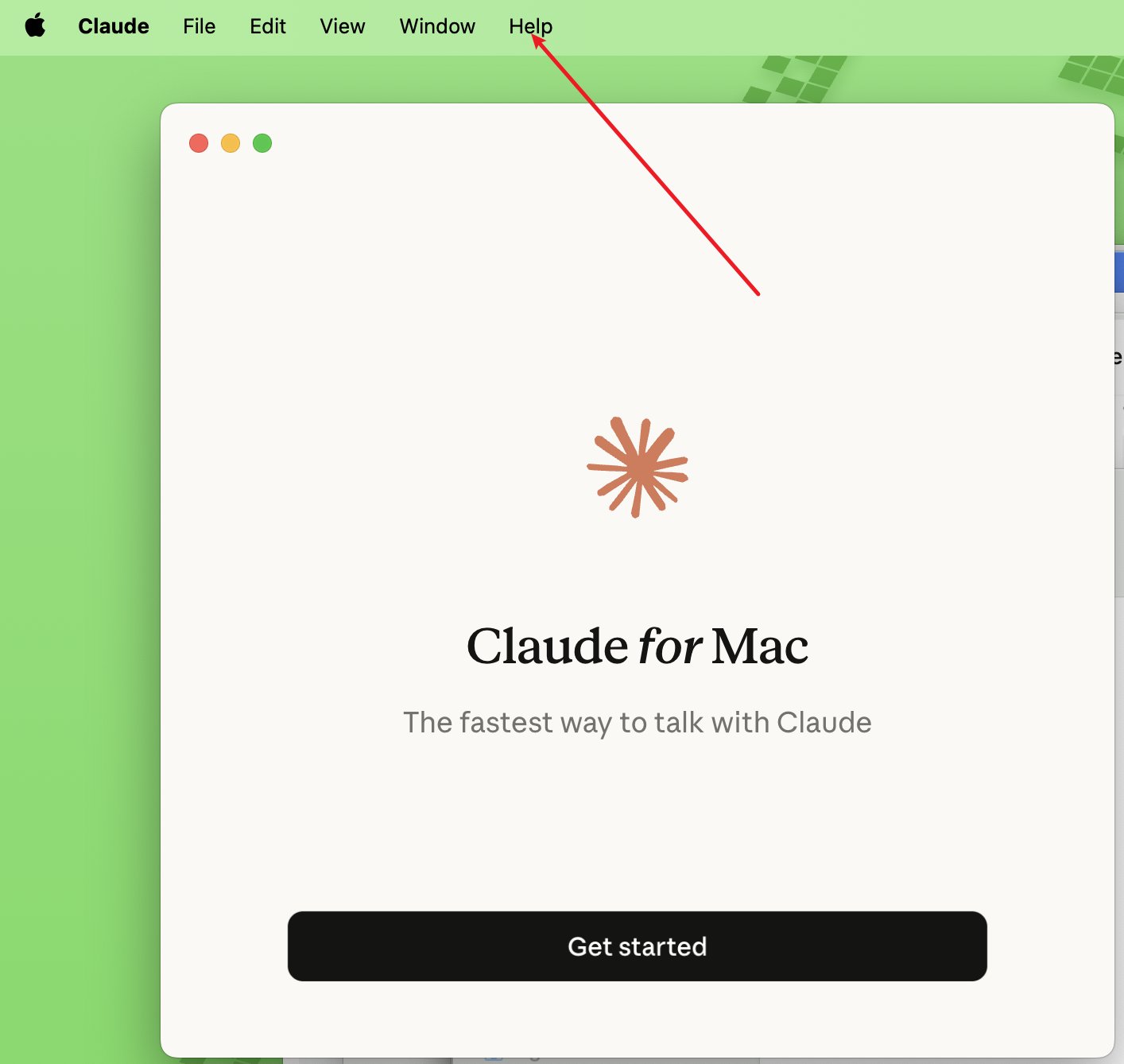
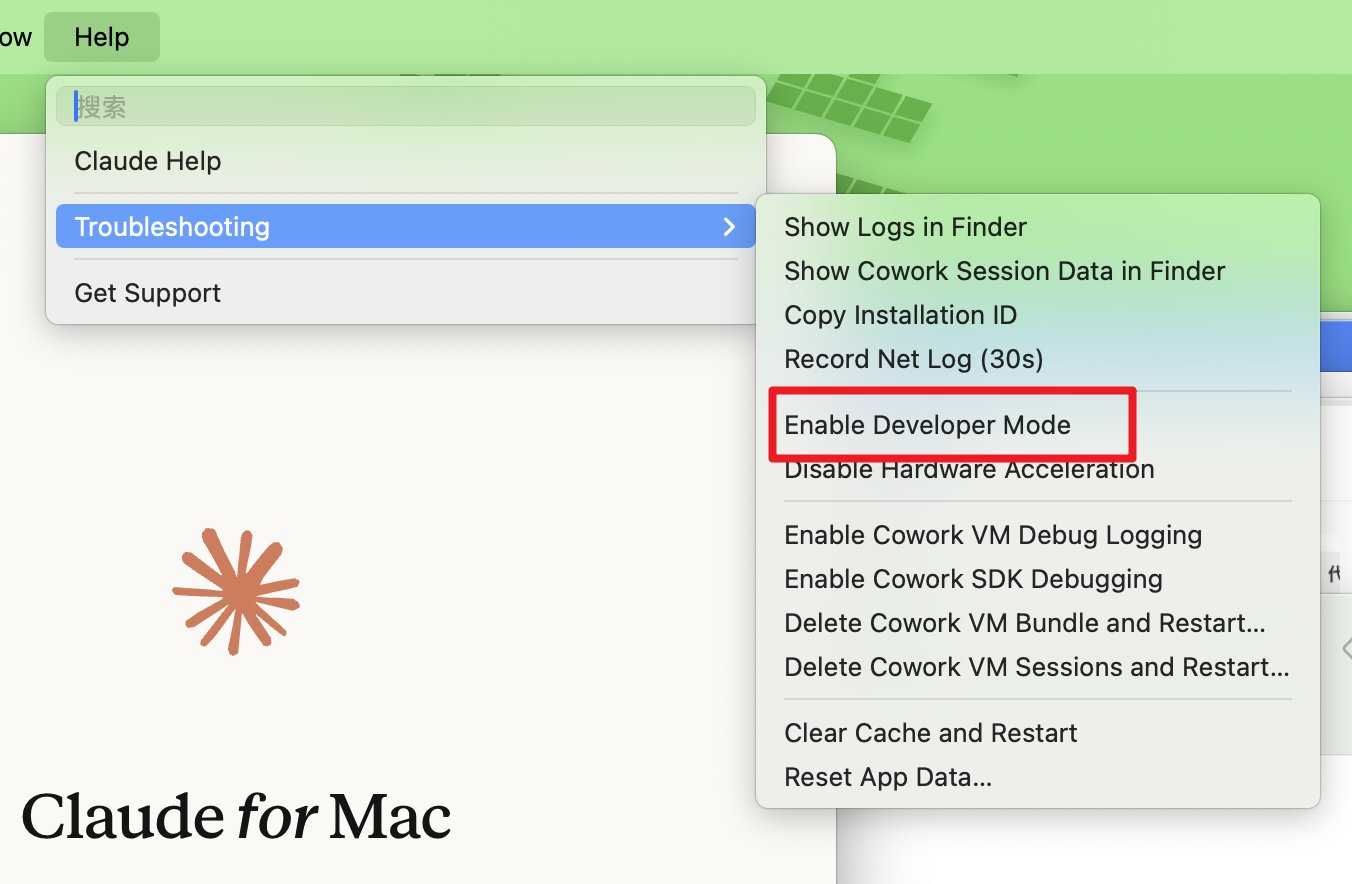
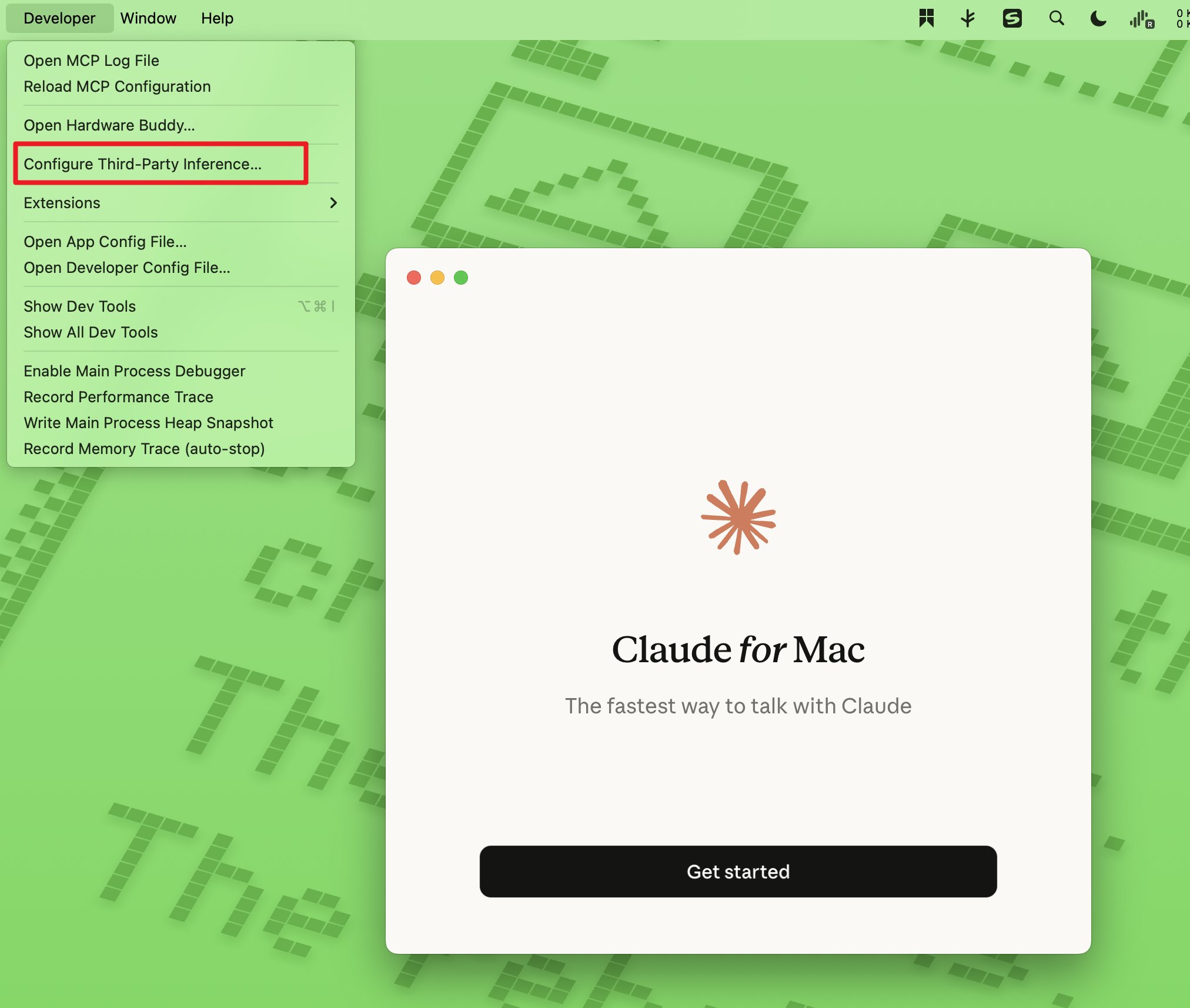
- After step 1, a new Developer menu appears in the menu bar. Click Configure Third-Party Inference
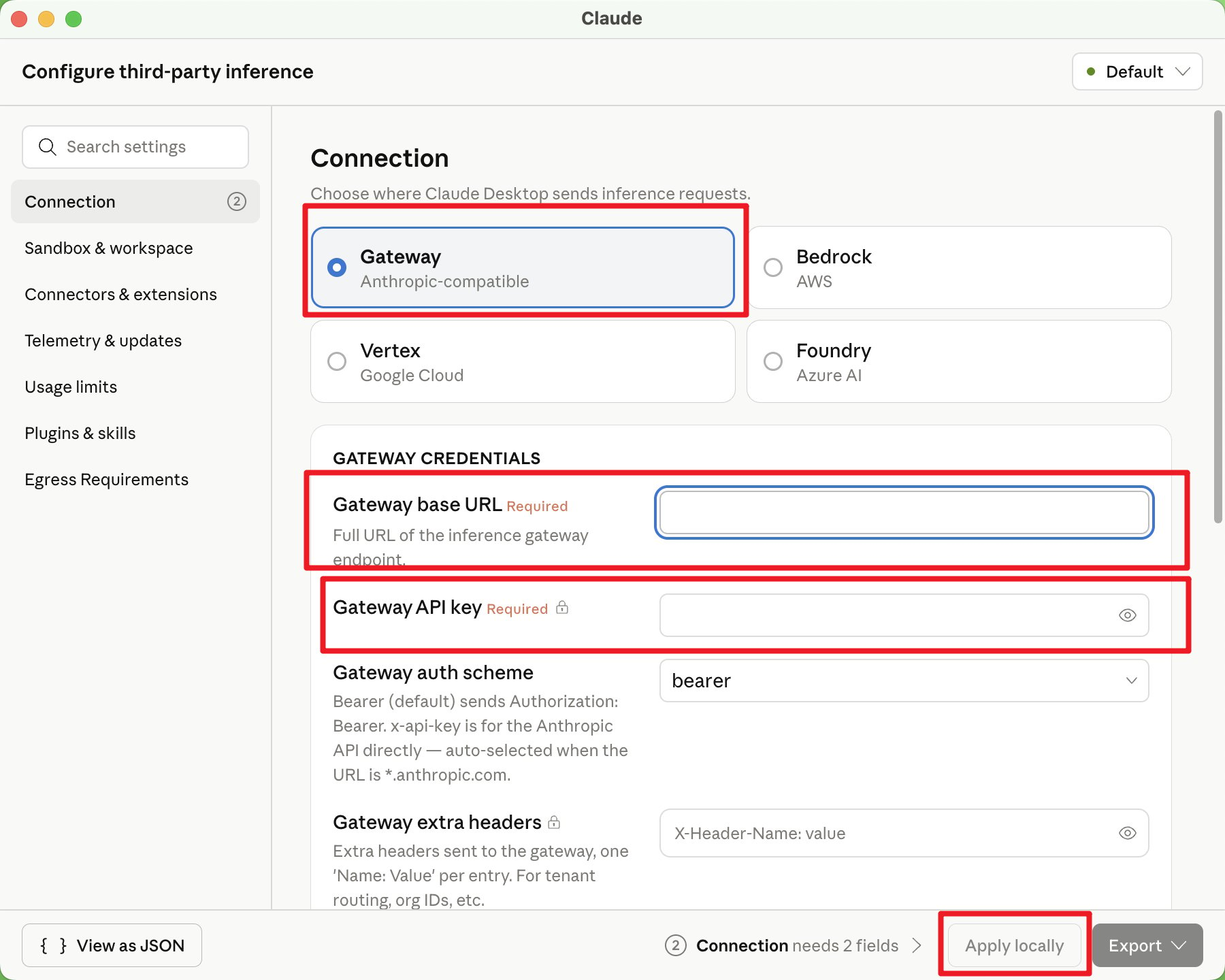
- Keep the default Gateway option and fill in
- Gateway base URL:
https://anyrouter.win/ - Gateway API key: the API key obtained from the AnyRouter platform
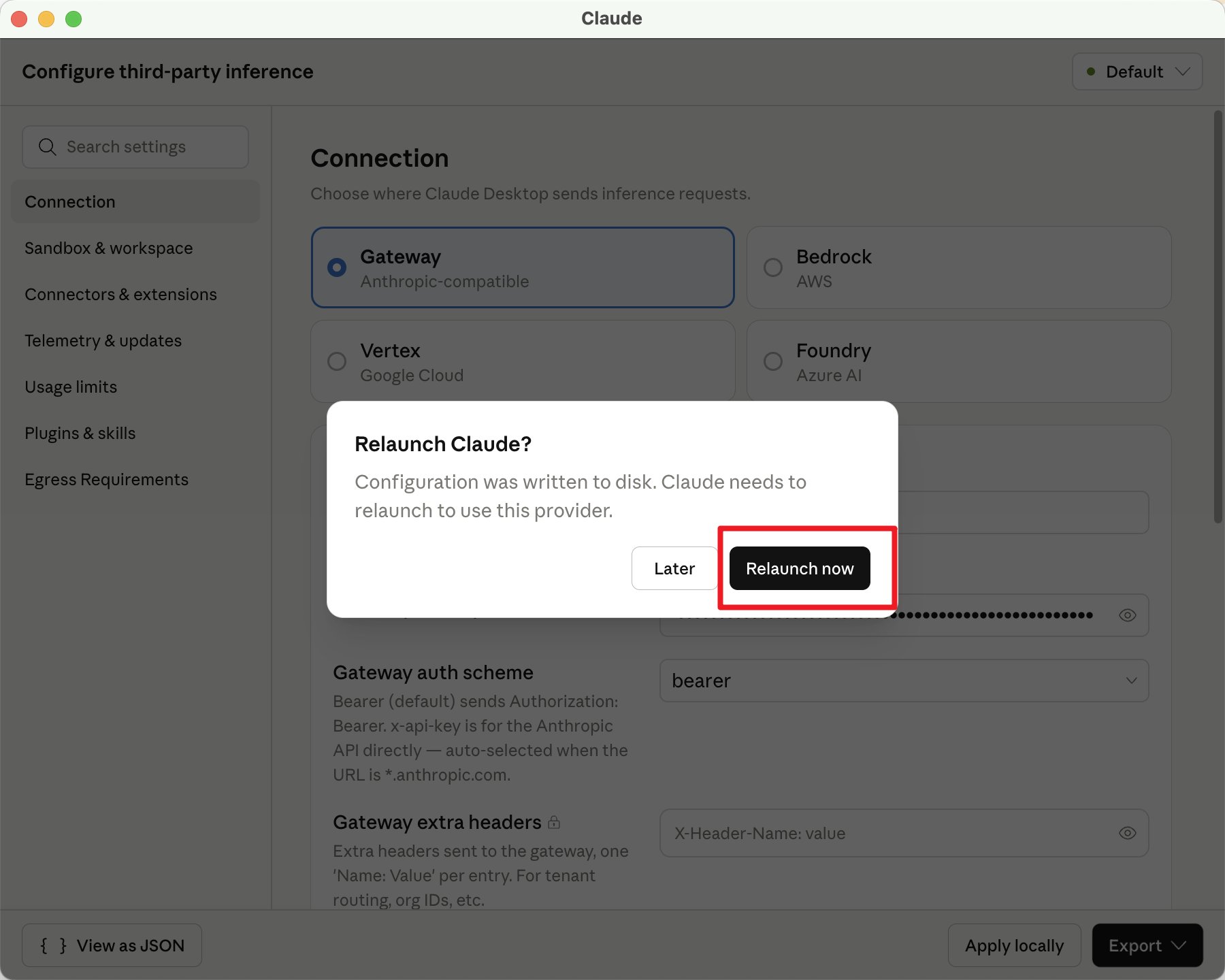
Leave everything else unchanged. Click apply locally, then click relaunch now in the popup
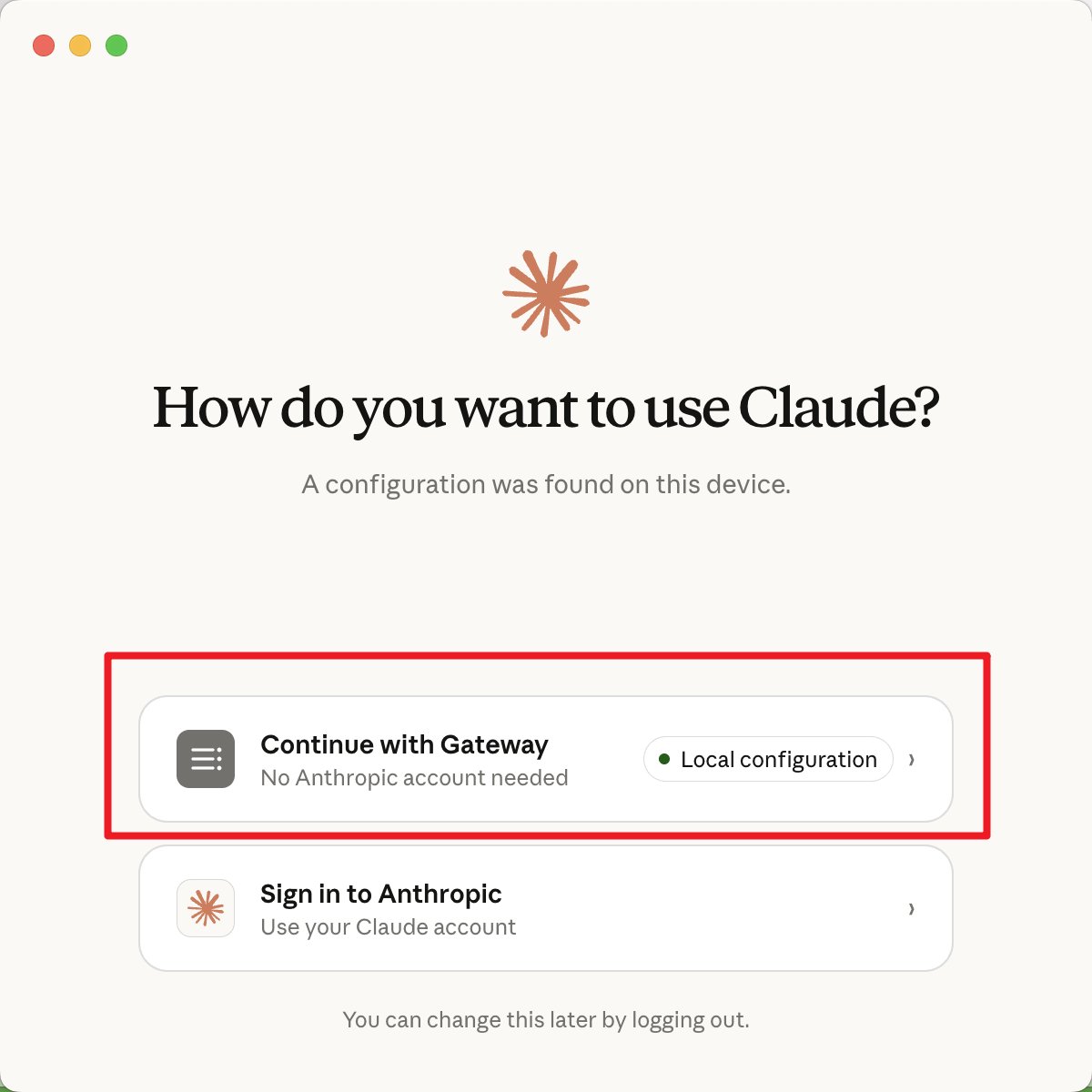
- Click Continue with Gateway
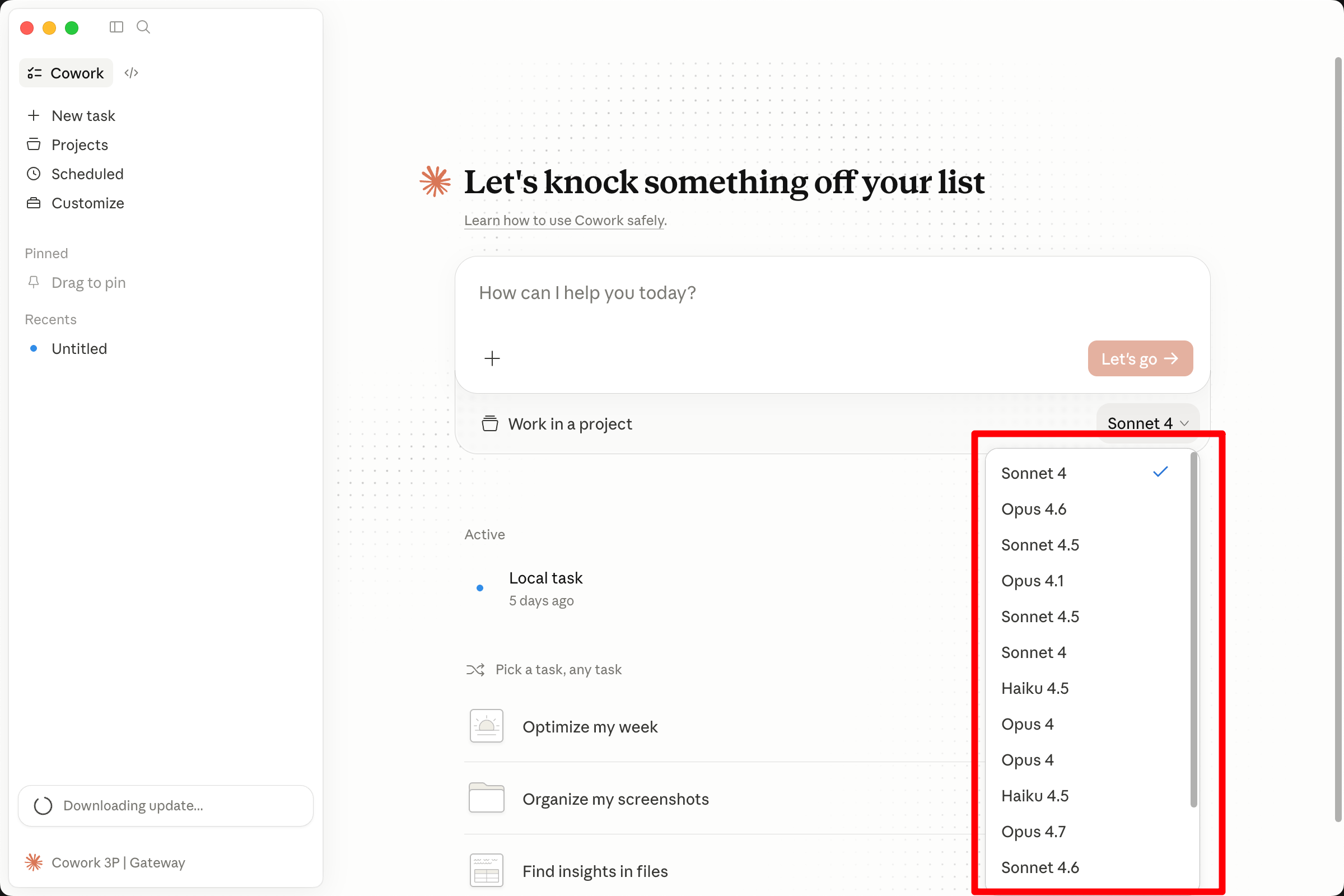
- Select the model you want to use at the bottom of the chat box, and you are ready to go
Configuring the o4 Reasoning Effort in CherryStudio
How to set the reasoning_effort parameter for o4 and other o-series reasoning models in CherryStudio, choosing low, medium or high to balance speed and depth.
Claude Code
Set up Claude Code with AnyRouter: install the CLI, configure BASE_URL and AUTH_TOKEN, use cc-switch or the VS Code extension, and switch to DeepSeek models.