Editor & Tool Configuration
Using Claude MCP with CherryStudio
Full walkthrough of using Claude MCP in CherryStudio: install the app, set the AnyRouter base URL and API key, configure models, enable MCP and send a request.
1. CherryStudio download:
https://docs.cherry-ai.com/cherry-studio/download
2. MCP configuration guide
https://docs.cherry-ai.com/advanced-basic/mcp
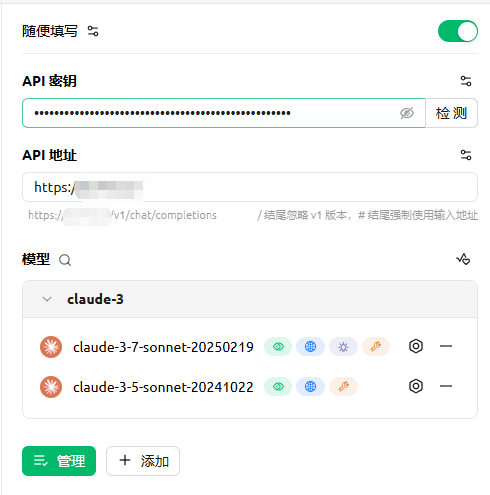
3. Configure the relay
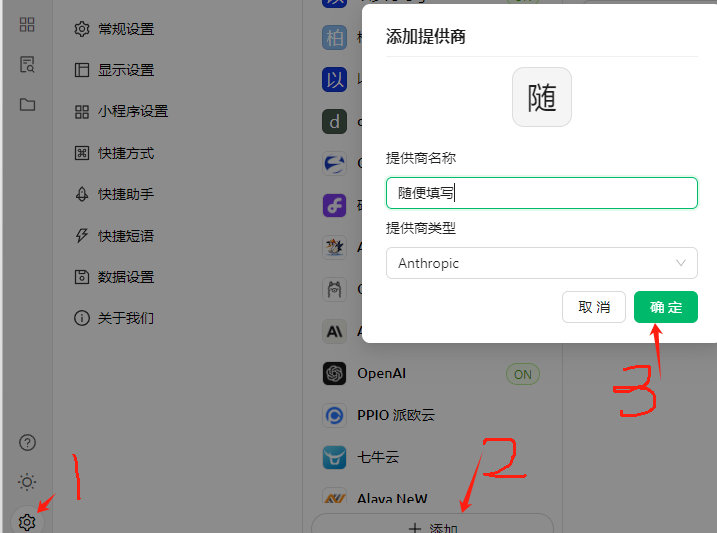
4. Configure the API key
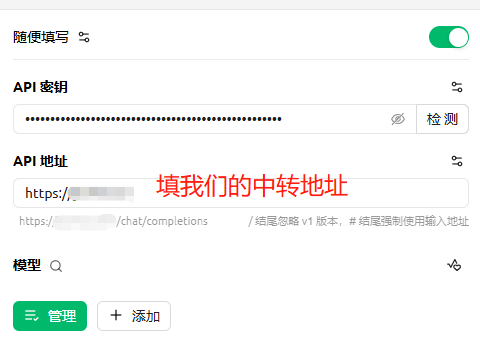
For the API endpoint, enter: https://anyrouter.win
5. Configure models
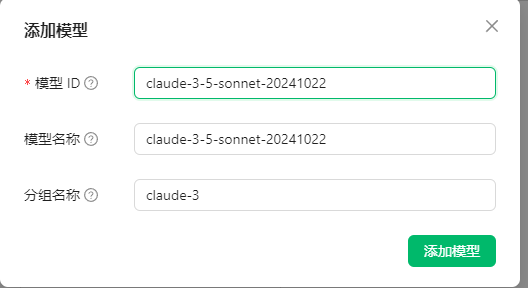
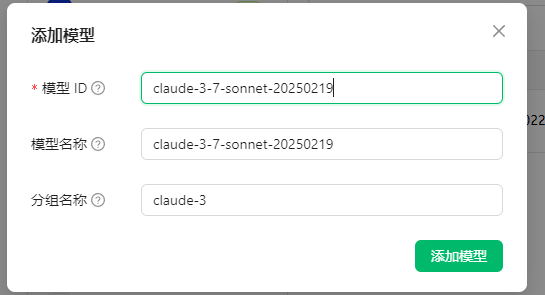
6. Enable MCP
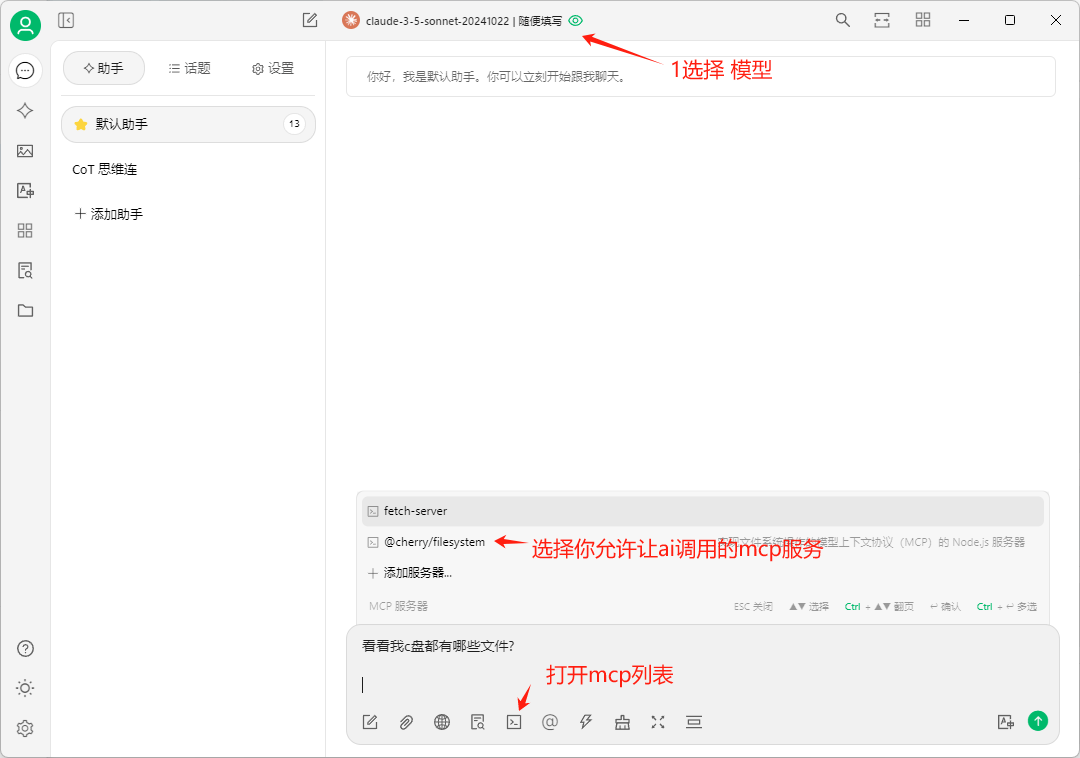
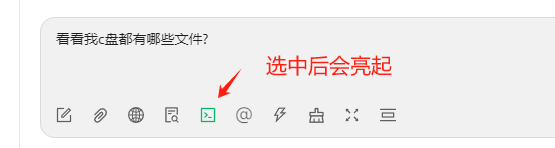
Send
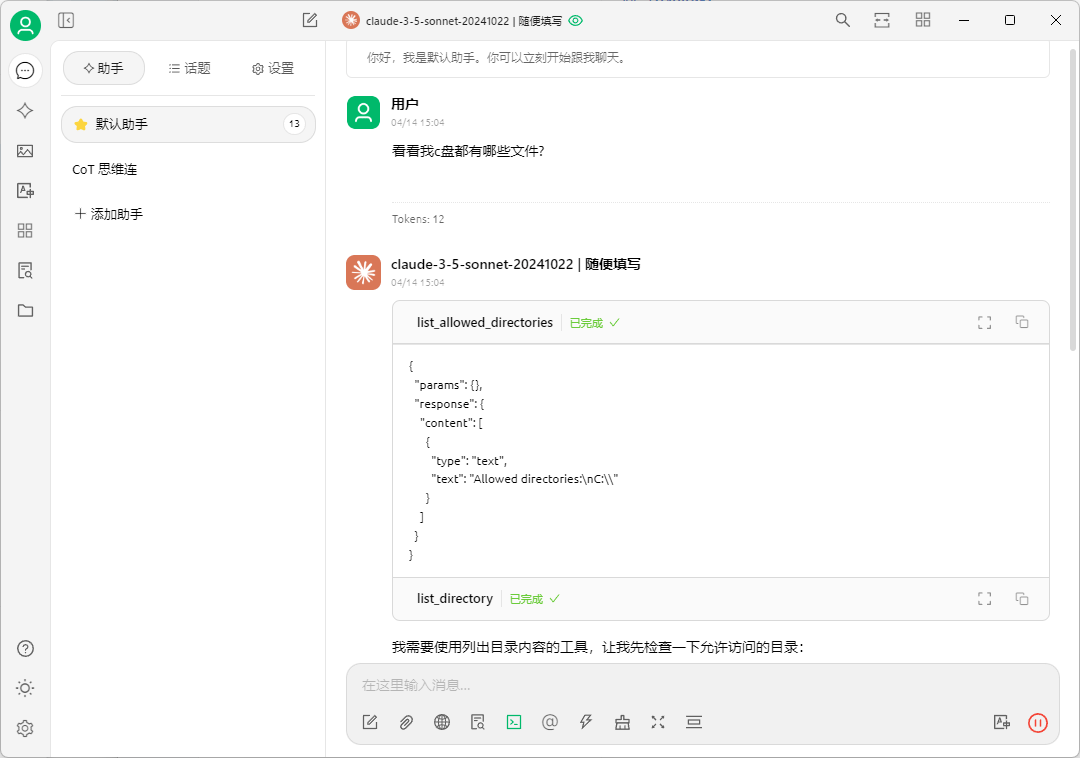
The MCP call succeeded
Cherry Studio Configuration Guide
Illustrated guide to connecting Cherry Studio to AnyRouter: set the API base URL and key, add and select models, then chat with Claude, GPT and more.
Configuring the o4 Reasoning Effort in CherryStudio
How to set the reasoning_effort parameter for o4 and other o-series reasoning models in CherryStudio, choosing low, medium or high to balance speed and depth.