Editor & Tool Configuration
cline Configuration Guide
Configure the cline AI coding assistant to work with AnyRouter: set the API endpoint to anyrouter.win and add your API key to use any supported model.
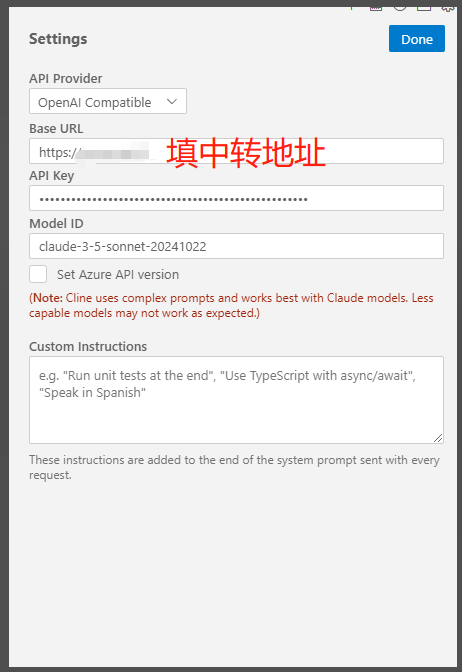
For the API endpoint, enter https://anyrouter.win
ClawX
Quick ClawX setup with AnyRouter: add a custom model provider, enter your API key and base URL, and start using the platform's models in just four steps.
Coder Configuration
Illustrated guide to configuring the AnyRouter API in Coder: pick the OpenAI provider, set the BaseURL and API key, bind models and run a chat test to verify.