Cursor
Use your own API key in Cursor via AnyRouter: enable API mode, set the base URL, add custom models, and fix common errors like Verify Failed.
Configuring a Third-Party API (OpenAI/Anthropic) in Cursor
Cursor lets you use your own API key. The benefit is that you can spend credits you purchased yourself (such as DeepSeek or a high-multiplier relay), without being limited by the request quotas of Cursor's official subscription plans.
Step 1: Enable API mode
- Open Cursor.
- Open the settings:
- Click the gear icon (Cursor Settings) in the top-right corner.
- Or use the shortcut
Ctrl + Shift + J(Windows/Linux) orCmd + Shift + J(macOS).
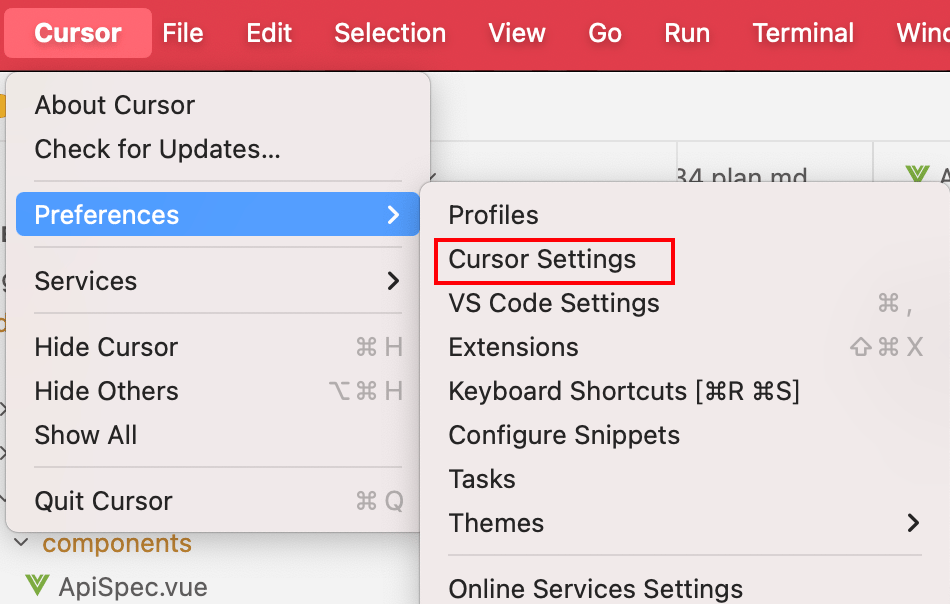
- In the sidebar or window that opens, select the General or Models tab.
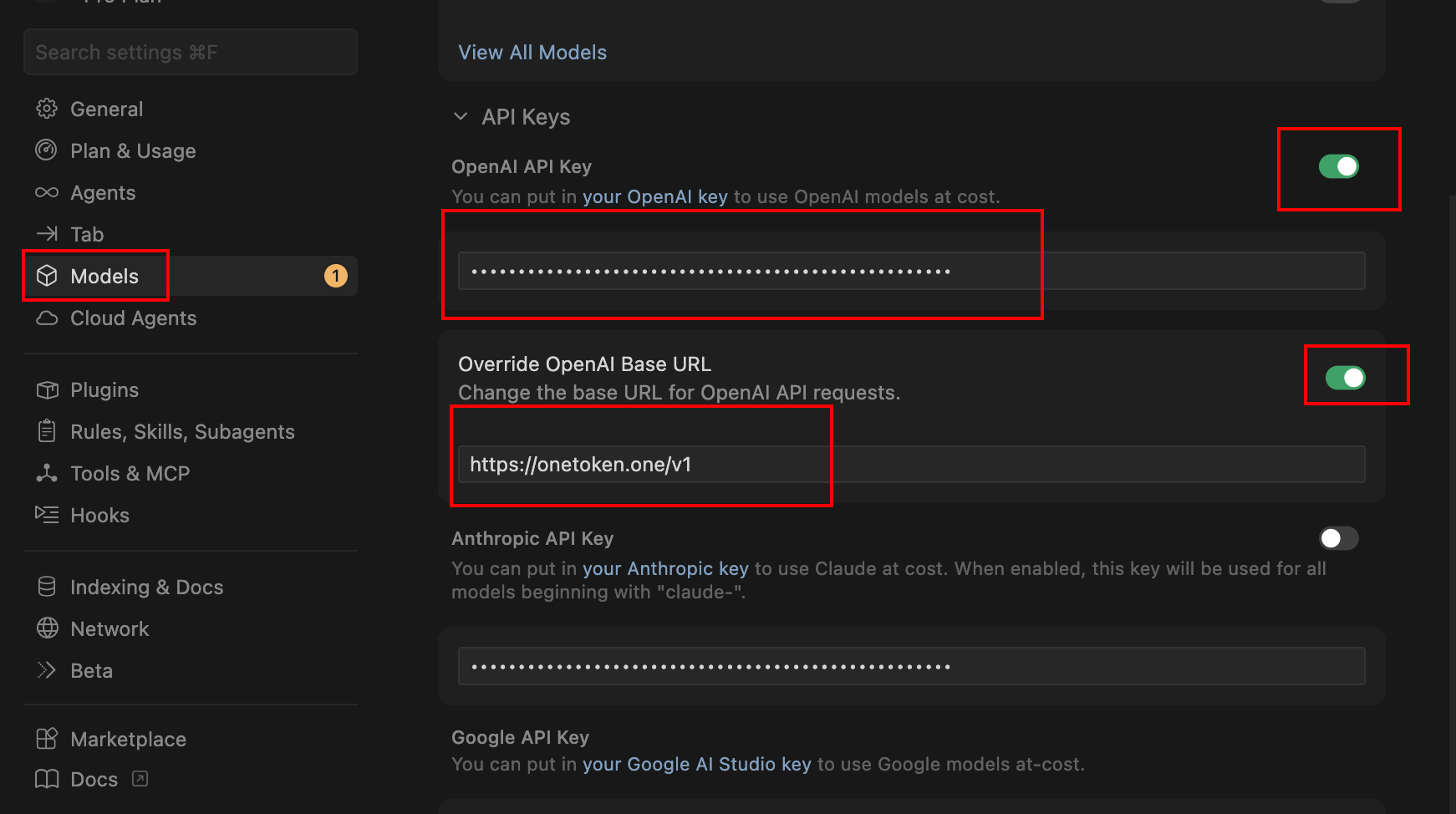
- Find the OpenAI API Key option, turn it on, and enter your API key
- Turn on the Override OpenAI Base URL option and enter
https://anyrouter.win/v1
Step 2: Manage the model list (Models)
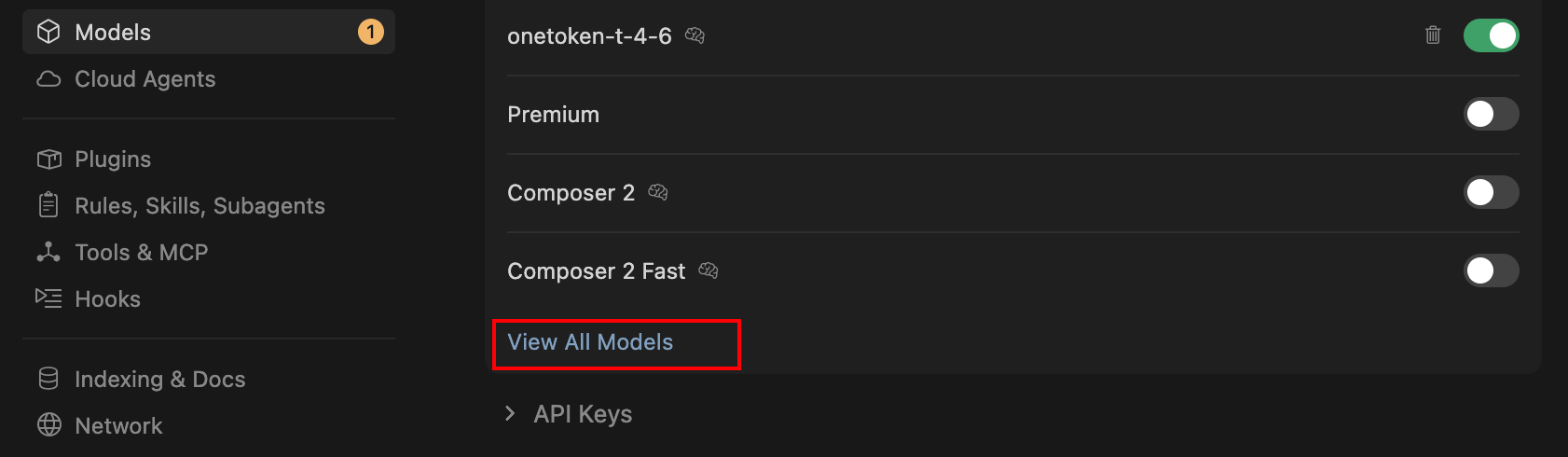
To make sure Cursor calls the right model, you need to manually enable or add models in the settings: Model names in Cursor must not clash with its built-in model names, so you need to pick models from the cursor category in the model marketplace
-
Find the Models section on the same settings page.
-
Toggle on the models you want to use (e.g.
gpt-4o,claude-3-5-sonnet). -
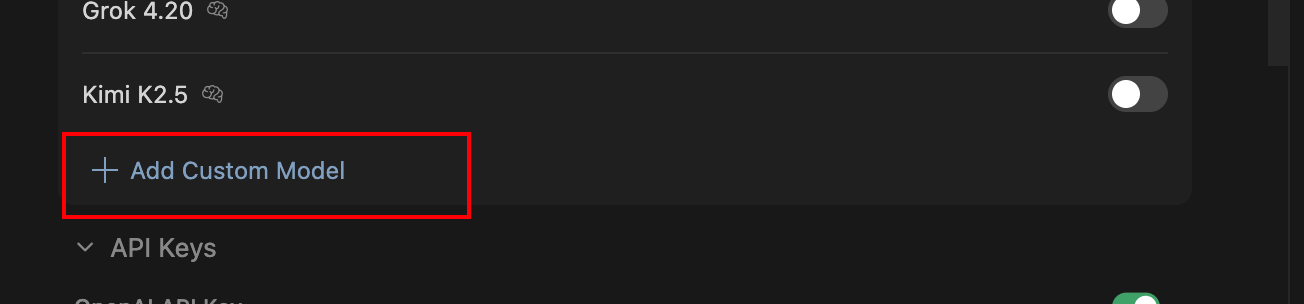
Add a custom model: if you are using DeepSeek, click + Add Model.
-
Enter the exact model ID (e.g.
deepseek-chatordeepseek-reasoner).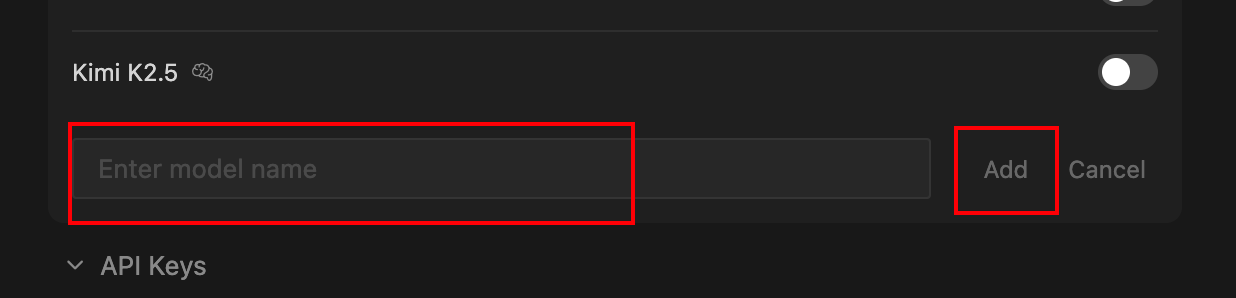
Step 3: Use it in the editor
- Go back to the code editor.
- Use
Ctrl + L(Chat) orCtrl + K(Edit). - In the model dropdown menu at the bottom of the input box, select the third-party model you just configured.
- Important: when using your own API key, some of Cursor's advanced features (such as certain optimizations in Composer mode) may behave slightly differently, but code generation capability depends on the API you choose.
FAQ
| Symptom | Solution |
|---|---|
| Verify Failed | Check whether the Base URL includes an extra /chat/completions. It should only go up to /v1. |
| Model does not respond | Check whether your third-party balance is sufficient. |
| Cannot use built-in models | Once you enable your own API key mode, your key's credits are usually consumed first, rather than your Cursor subscription quota. |
Coze Configuration Guide
Use the AnyRouter relay API in Coze workflows: create a workflow, add an HTTP request node, fill in the chat completions URL and API key, and test-run.
Adding Models in Dify
Add AnyRouter as a model provider in Dify: follow the screenshots, set the API endpoint to anyrouter.win, and enter your API key to call any model.